# Directory Structure
```
├── .github
│ └── workflows
│ └── node.js.yml
├── .gitignore
├── .roo
│ └── mcp.json
├── Dockerfile
├── examples
│ └── deep-research.md
├── LICENSE
├── memory-bank
│ ├── activeContext.md
│ ├── productContext.md
│ ├── progress.md
│ ├── systemPatterns.md
│ └── techContext.md
├── package-lock.json
├── package.json
├── README.md
├── smithery.yaml
├── src
│ └── index.ts
└── tsconfig.json
```
# Files
--------------------------------------------------------------------------------
/.gitignore:
--------------------------------------------------------------------------------
```
1 | node_modules/
2 | build/
3 | *.log
4 | .env*
5 | .kiro
```
--------------------------------------------------------------------------------
/README.md:
--------------------------------------------------------------------------------
```markdown
1 | # Perplexity MCP Server
2 |
3 | An intelligent research assistant powered by Perplexity's specialized AI models. Features automatic query complexity detection to route requests to the most appropriate model for optimal results. Unlike the Official server, it has search capabilities FOR EVERY TASK, essentially
4 |
5 | It also forces the agent using the MCP to be specific
6 |
7 | ## Tools
8 |
9 | ### 1. Search (Sonar Pro)
10 | Quick search for simple queries and basic information lookup. Best for straightforward questions that need concise, direct answers.
11 |
12 | ```javascript
13 | const result = await use_mcp_tool({
14 | server_name: "perplexity",
15 | tool_name: "search",
16 | arguments: {
17 | query: "What is the capital of France?",
18 | force_model: false // Optional: force using this model even if query seems complex
19 | }
20 | });
21 | ```
22 |
23 | ### 2. Reason (Sonar Reasoning Pro)
24 | Handles complex, multi-step tasks requiring detailed analysis. Perfect for explanations, comparisons, and problem-solving.
25 |
26 | ```javascript
27 | const result = await use_mcp_tool({
28 | server_name: "perplexity",
29 | tool_name: "reason",
30 | arguments: {
31 | query: "Compare and contrast REST and GraphQL APIs, explaining their pros and cons",
32 | force_model: false // Optional: force using this model even if query seems simple
33 | }
34 | });
35 | ```
36 |
37 | ### 3. Deep Research (Sonar Deep Research)
38 | Conducts comprehensive research and generates detailed reports. Ideal for in-depth analysis of complex topics.
39 |
40 | ```javascript
41 | const result = await use_mcp_tool({
42 | server_name: "perplexity",
43 | tool_name: "deep_research",
44 | arguments: {
45 | query: "The impact of quantum computing on cryptography",
46 | focus_areas: [
47 | "Post-quantum cryptographic algorithms",
48 | "Timeline for quantum threats",
49 | "Practical mitigation strategies"
50 | ],
51 | force_model: false // Optional: force using this model even if query seems simple
52 | }
53 | });
54 | ```
55 |
56 |
57 | ## Setup
58 |
59 | 1. **Prerequisites**
60 | - Node.js (from [nodejs.org](https://nodejs.org))
61 | - Perplexity API key (from [perplexity.ai/settings/api](https://www.perplexity.ai/settings/api))
62 | - clone the repo somewhere
63 |
64 | 2. **Configure MCP Settings**
65 |
66 | Add to your MCP settings file (location varies by platform):
67 |
68 | ```json
69 | {
70 | "mcpServers": {
71 | "perplexity": {
72 | "command": "node",
73 | "args": ["/path/to/perplexity-server/build/index.js"],
74 | "env": {
75 | "PERPLEXITY_API_KEY": "YOUR_API_KEY_HERE"
76 | },
77 | "disabled": false,
78 | "autoApprove": []
79 | }
80 | }
81 | }
82 | ```
83 |
84 |
85 | Or use NPX to not have to install it locally (recommended for macos):
86 |
87 | ```json
88 | {
89 | "mcpServers": {
90 | "perplexity": {
91 | "command": "npx",
92 | "args": [
93 | "-y",
94 | "perplexity-mcp"
95 | ],
96 | "env": {
97 | "PERPLEXITY_API_KEY": "your_api_key"
98 | }
99 | }
100 | }
101 | }
102 | ```
103 | In case the MCP Client is not able to parse the Perplexity API Key from the
104 | environment using methods like `"${env:PERPLEXITY_API_KEY}"` common in modern
105 | AI Coding Agents (e.g. Kiro), there are two fallback solutions:
106 |
107 | **Command-Line Argument**: Pass the API key directly as a command-line argument, and you can even try to see whether "${env:PERPLEXITY_API_KEY}" works in there.
108 |
109 | ```json
110 | {
111 | "mcpServers": {
112 | "perplexity": {
113 | "command": "node",
114 | "args": [
115 | "/path/to/perplexity-server/build/index.js",
116 | "--api-key",
117 | "your_api_key_here"
118 | ],
119 | "disabled": false,
120 | "autoApprove": []
121 | }
122 | }
123 | }
124 | ```
125 |
126 | **Read an explicit `.env` File**: specify the location of the project `.env` file with the environment variables and API keys for your current project with the `--cwd` command-line argument, and the MCP Server will read the `.env` file from the directory finding the Perplexity API Key from there.
127 |
128 | ```json
129 | {
130 | "mcpServers": {
131 | "perplexity": {
132 | "command": "node",
133 | "args": [
134 | "/path/to/perplexity-server/build/index.js",
135 | "--cwd",
136 | "/path/to/your/project"
137 | ],
138 | "disabled": false,
139 | "autoApprove": []
140 | }
141 | }
142 | }
143 | ```
144 | **Priority Order**: Command-line argument > Environment variable > .env file with `--cwd` (path needed)
145 |
146 | ## Star History
147 |
148 | [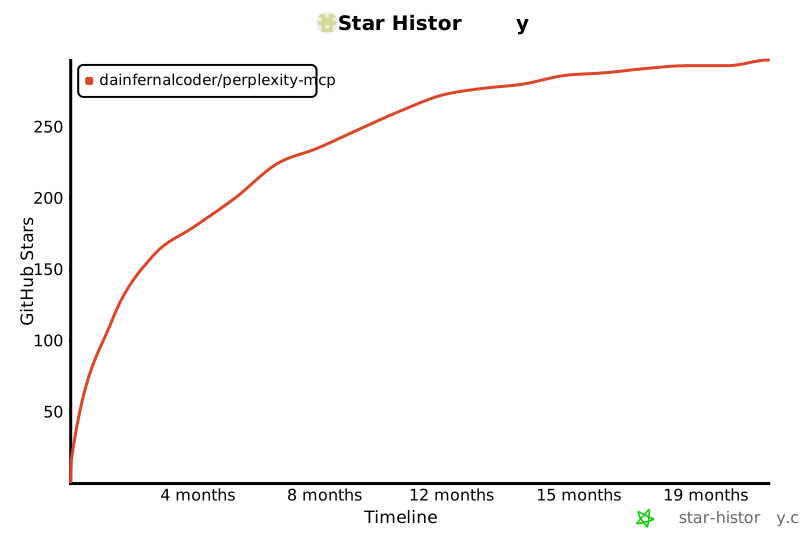](https://www.star-history.com/#DaInfernalCoder/perplexity-mcp&Timeline)
149 |
```
--------------------------------------------------------------------------------
/.roo/mcp.json:
--------------------------------------------------------------------------------
```json
1 | {
2 | "mcpServers": {}
3 | }
```
--------------------------------------------------------------------------------
/memory-bank/activeContext.md:
--------------------------------------------------------------------------------
```markdown
1 | # Recent Changes
2 | - Removed unused better-sqlite3 import from src/index.ts that was causing build errors
3 | - Successfully built the project after removing the dependency
4 |
5 | # Current Status
6 | - Build is now working correctly
7 | - Project is ready for further development
8 |
```
--------------------------------------------------------------------------------
/tsconfig.json:
--------------------------------------------------------------------------------
```json
1 | {
2 | "compilerOptions": {
3 | "target": "ES2022",
4 | "module": "Node16",
5 | "moduleResolution": "Node16",
6 | "outDir": "./build",
7 | "rootDir": "./src",
8 | "strict": true,
9 | "esModuleInterop": true,
10 | "skipLibCheck": true,
11 | "forceConsistentCasingInFileNames": true
12 | },
13 | "include": ["src/**/*"],
14 | "exclude": ["node_modules"]
15 | }
16 |
```
--------------------------------------------------------------------------------
/smithery.yaml:
--------------------------------------------------------------------------------
```yaml
1 | # Smithery configuration file: https://smithery.ai/docs/config#smitheryyaml
2 |
3 | startCommand:
4 | type: stdio
5 | configSchema:
6 | # JSON Schema defining the configuration options for the MCP.
7 | type: object
8 | required:
9 | - perplexityApiKey
10 | properties:
11 | perplexityApiKey:
12 | type: string
13 | description: The API key for the Perplexity API.
14 | commandFunction:
15 | # A function that produces the CLI command to start the MCP on stdio.
16 | |-
17 | (config) => ({ command: 'node', args: ['build/index.js'], env: { PERPLEXITY_API_KEY: config.perplexityApiKey } })
18 |
```
--------------------------------------------------------------------------------
/.github/workflows/node.js.yml:
--------------------------------------------------------------------------------
```yaml
1 | # This workflow will do a clean installation of node dependencies, cache/restore them, build the source code and run tests across different versions of node
2 | # For more information see: https://docs.github.com/en/actions/automating-builds-and-tests/building-and-testing-nodejs
3 |
4 | name: Node.js CI
5 |
6 | on:
7 | push:
8 | branches: [ "main" ]
9 | pull_request:
10 | branches: [ "main" ]
11 |
12 | jobs:
13 | build:
14 |
15 | runs-on: ubuntu-latest
16 |
17 | strategy:
18 | matrix:
19 | node-version: [18.x, 20.x, 22.x]
20 | # See supported Node.js release schedule at https://nodejs.org/en/about/releases/
21 |
22 | steps:
23 | - uses: actions/checkout@v4
24 | - name: Use Node.js ${{ matrix.node-version }}
25 | uses: actions/setup-node@v4
26 | with:
27 | node-version: ${{ matrix.node-version }}
28 | cache: 'npm'
29 | - run: npm ci
30 | - run: npm run build --if-present
31 | - run: npm test
32 |
```
--------------------------------------------------------------------------------
/Dockerfile:
--------------------------------------------------------------------------------
```dockerfile
1 | # Generated by https://smithery.ai. See: https://smithery.ai/docs/config#dockerfile
2 | # Use Node.js LTS version as the base image
3 | FROM node:18-alpine AS builder
4 |
5 | # Set the working directory
6 | WORKDIR /app
7 |
8 | # Copy package.json and package-lock.json to the working directory
9 | COPY package.json package-lock.json ./
10 |
11 | # Install dependencies
12 | RUN npm install --ignore-scripts
13 |
14 | # Copy the rest of the application code to the working directory
15 | COPY . .
16 |
17 | # Build the TypeScript files
18 | RUN npm run build
19 |
20 | # Use a clean Node.js image for the production environment
21 | FROM node:18-alpine AS release
22 |
23 | # Set the working directory
24 | WORKDIR /app
25 |
26 | # Copy built files and node_modules from the builder stage
27 | COPY --from=builder /app/build ./build
28 | COPY --from=builder /app/node_modules ./node_modules
29 | COPY --from=builder /app/package.json ./
30 |
31 | # Set environment variables (replace YOUR_API_KEY_HERE with the actual key)
32 | ENV PERPLEXITY_API_KEY=YOUR_API_KEY_HERE
33 |
34 | # Expose the port the app runs on
35 | EXPOSE 3000
36 |
37 | # Command to run the application
38 | ENTRYPOINT ["node", "build/index.js"]
39 |
```
--------------------------------------------------------------------------------
/package.json:
--------------------------------------------------------------------------------
```json
1 | {
2 | "name": "perplexity-mcp",
3 | "version": "0.2.3",
4 | "description": "MCP server providing intelligent search, reasoning, and research capabilities powered by Perplexity's specialized AI models",
5 | "type": "module",
6 | "bin": "./build/index.js",
7 | "files": [
8 | "build",
9 | "README.md",
10 | "LICENSE"
11 | ],
12 | "scripts": {
13 | "build": "tsc && chmod +x build/index.js",
14 | "watch": "tsc --watch",
15 | "start": "node build/index.js",
16 | "inspector": "npx @modelcontextprotocol/inspector build/index.js",
17 | "test": "tsc --noEmit",
18 | "prepublishOnly": "npm run build"
19 | },
20 | "dependencies": {
21 | "@modelcontextprotocol/sdk": "0.6.0",
22 | "axios": "^1.7.9",
23 | "dotenv": "^17.2.3",
24 | "minimist": "^1.2.8"
25 | },
26 | "devDependencies": {
27 | "@types/minimist": "^1.2.5",
28 | "@types/node": "^20.19.19",
29 | "typescript": "^5.3.3"
30 | },
31 | "keywords": [
32 | "mcp",
33 | "perplexity",
34 | "ai",
35 | "search",
36 | "reasoning",
37 | "research",
38 | "sonar-pro",
39 | "sonar-reasoning-pro",
40 | "sonar-deep-research",
41 | "model-context-protocol"
42 | ],
43 | "author": "MCP Contributors",
44 | "license": "MIT",
45 | "repository": {
46 | "type": "git",
47 | "url": "https://github.com/DaInfernalCoder/researcher-mcp"
48 | },
49 | "engines": {
50 | "node": ">=18.0.0"
51 | }
52 | }
53 |
```
--------------------------------------------------------------------------------
/memory-bank/progress.md:
--------------------------------------------------------------------------------
```markdown
1 | # Progress
2 |
3 | ## What Works
4 | - Server initialization and configuration
5 | - MCP protocol implementation
6 | - Intelligent query routing system
7 | - Three specialized tools implemented:
8 | - search (Sonar Pro)
9 | - reason (Sonar Reasoning Pro)
10 | - deep_research (Sonar Deep Research)
11 | - Automatic model selection based on query complexity
12 | - Manual model override with force_model flag
13 | - Build process with TypeScript
14 | - Direct Node.js execution
15 |
16 | ## Recent Updates
17 | 1. **Core Implementation**
18 | - [x] Removed chat history and SQLite
19 | - [x] Implemented query complexity detection
20 | - [x] Added specialized tool handlers
21 | - [x] Updated server version to 0.2.0
22 |
23 | 2. **Documentation**
24 | - [x] Updated README with new tools
25 | - [x] Added model selection documentation
26 | - [x] Updated setup instructions
27 | - [x] Added usage examples
28 |
29 | 3. **Memory Bank**
30 | - [x] Updated productContext.md
31 | - [x] Updated systemPatterns.md
32 | - [x] Updated techContext.md
33 | - [x] Updated activeContext.md
34 | - [x] Updated progress.md
35 |
36 | ## What's Next
37 | 1. **Testing**
38 | - [ ] Test query complexity detection
39 | - [ ] Verify model selection logic
40 | - [ ] Test each specialized tool
41 | - [ ] Validate force_model override
42 |
43 | 2. **Potential Improvements**
44 | - [ ] Expand complexity detection patterns
45 | - [ ] Add more specialized prompts per model
46 | - [ ] Enhance error messages
47 | - [ ] Add query preprocessing
48 |
49 | ## Current Status
50 | - Streamlined architecture with three specialized tools
51 | - Intelligent query routing system implemented
52 | - All documentation updated
53 | - Ready for testing and validation
54 |
```
--------------------------------------------------------------------------------
/memory-bank/techContext.md:
--------------------------------------------------------------------------------
```markdown
1 | # Technical Context
2 |
3 | ## Technologies Used
4 |
5 | ### Core Technologies
6 | - **Node.js**: Runtime environment
7 | - **TypeScript**: Type-safe development
8 | - **MCP SDK**: Server implementation
9 | - **Perplexity API**: AI model integration
10 |
11 | ### Dependencies
12 | - **@modelcontextprotocol/sdk (0.6.0)**: MCP protocol implementation
13 | - **axios (^1.7.9)**: API communication
14 |
15 | ### Development Dependencies
16 | - **@types/node (^20.11.24)**: Node.js type definitions
17 | - **typescript (^5.3.3)**: TypeScript compiler
18 |
19 | ## AI Models
20 | 1. **Sonar Pro**
21 | - Quick information retrieval
22 | - Simple query processing
23 | - Direct answers
24 |
25 | 2. **Sonar Reasoning Pro**
26 | - Complex analysis
27 | - Multi-step reasoning
28 | - Detailed explanations
29 |
30 | 3. **Sonar Deep Research**
31 | - Comprehensive research
32 | - In-depth analysis
33 | - Structured reports
34 |
35 | ## Development Setup
36 | 1. **Build Process**
37 | - TypeScript compilation
38 | - Watch mode for development
39 | - Direct Node.js execution
40 |
41 | 2. **Testing**
42 | - Type checking
43 | - MCP Inspector integration
44 | - Manual tool testing
45 |
46 | 3. **Environment Variables**
47 | - PERPLEXITY_API_KEY (required)
48 |
49 | ## Technical Constraints
50 | 1. **API Requirements**
51 | - Valid Perplexity API key
52 | - Rate limits and quotas
53 | - API availability
54 |
55 | 2. **Runtime Requirements**
56 | - Node.js environment
57 | - Local dependencies
58 | - MCP protocol support
59 |
60 | 3. **Query Processing**
61 | - Pattern-based analysis
62 | - Model selection logic
63 | - Response formatting
64 |
65 | ## Local Setup
66 | 1. **Installation**
67 | - Clone repository
68 | - Install dependencies
69 | - Build TypeScript
70 | - Configure API key
71 |
72 | 2. **Configuration**
73 | - Environment setup
74 | - MCP settings
75 | - Model selection rules
76 |
77 | 3. **Usage**
78 | - Direct Node.js execution
79 | - Tool selection
80 | - Query complexity handling
81 |
```
--------------------------------------------------------------------------------
/memory-bank/systemPatterns.md:
--------------------------------------------------------------------------------
```markdown
1 | # System Patterns
2 |
3 | ## Architecture
4 | The Perplexity Server implements a streamlined MCP architecture focused on intelligent query routing:
5 |
6 | 1. **Server Initialization**
7 | - Creates MCP server instance
8 | - Sets up API client with authentication
9 | - Registers specialized tool handlers
10 |
11 | 2. **Query Analysis System**
12 | - Pattern-based complexity detection
13 | - Intelligent model selection
14 | - Override capabilities via force_model flag
15 |
16 | 3. **Tool Specialization**
17 | - search: Quick lookups (Sonar Pro)
18 | - reason: Complex analysis (Sonar Reasoning Pro)
19 | - deep_research: Comprehensive research (Sonar Deep Research)
20 |
21 | 4. **API Integration**
22 | - Communicates with Perplexity API
23 | - Model-specific request handling
24 | - Structured response formatting
25 |
26 | ## Key Technical Decisions
27 |
28 | 1. **Intelligent Routing**
29 | - Pattern-based query analysis
30 | - Automatic model selection
31 | - Manual override capability
32 | - Optimized response quality
33 |
34 | 2. **Model Specialization**
35 | - Sonar Pro: Simple queries
36 | - Sonar Reasoning Pro: Complex analysis
37 | - Sonar Deep Research: In-depth research
38 |
39 | 3. **TypeScript Implementation**
40 | - Strong typing for tool schemas
41 | - Enhanced code reliability
42 | - Better developer experience
43 |
44 | 4. **Direct Execution**
45 | - Node.js runtime
46 | - Local dependency management
47 | - Simple configuration
48 |
49 | 5. **Error Handling**
50 | - Detailed error messages
51 | - API error conversion
52 | - Graceful shutdown
53 | - Query validation
54 |
55 | ## Communication Patterns
56 |
57 | 1. **MCP Protocol**
58 | - Stdio transport
59 | - Structured request/response
60 | - Tool schema definitions
61 | - Input validation
62 |
63 | 2. **API Communication**
64 | - RESTful endpoints
65 | - Model-specific formatting
66 | - Bearer authentication
67 | - Error handling
68 |
69 | 3. **Query Processing**
70 | - Complexity analysis
71 | - Model selection
72 | - Response formatting
73 | - Context management
74 |
```
--------------------------------------------------------------------------------
/memory-bank/productContext.md:
--------------------------------------------------------------------------------
```markdown
1 | # Product Context
2 |
3 | ## Purpose
4 | The Perplexity Server is an MCP (Model Context Protocol) server that provides intelligent research and information retrieval through specialized AI models. It automatically analyzes query complexity to route requests to the most appropriate Perplexity AI model, ensuring optimal responses for different types of queries.
5 |
6 | ## Problems Solved
7 | 1. **Query Optimization**: Automatically selects the best AI model based on query complexity
8 | 2. **Information Access**: Provides quick answers to simple questions using Sonar Pro
9 | 3. **Complex Analysis**: Handles multi-step reasoning and detailed explanations with Sonar Reasoning Pro
10 | 4. **Deep Research**: Conducts comprehensive research and analysis using Sonar Deep Research
11 | 5. **Efficiency**: Streamlines information retrieval by matching query complexity to model capabilities
12 |
13 | ## How It Works
14 | The server analyzes queries and routes them to three specialized tools:
15 |
16 | 1. **search (Sonar Pro)**
17 | - Quick information lookup
18 | - Simple factual queries
19 | - Direct, concise answers
20 | - Best for straightforward questions
21 |
22 | 2. **reason (Sonar Reasoning Pro)**
23 | - Complex problem-solving
24 | - Multi-step analysis
25 | - Comparisons and trade-offs
26 | - Detailed explanations
27 | - Best for how/why questions
28 |
29 | 3. **deep_research (Sonar Deep Research)**
30 | - Comprehensive research
31 | - In-depth analysis
32 | - Multiple perspectives
33 | - Source references
34 | - Best for complex topics
35 |
36 | The server features intelligent query analysis that automatically routes requests to the appropriate model based on complexity patterns, with manual override available through the force_model flag.
37 |
38 | ## Key Features
39 | 1. **Automatic Model Selection**
40 | - Pattern-based complexity detection
41 | - Intelligent routing to appropriate model
42 | - Override capability for manual control
43 |
44 | 2. **Specialized Response Formats**
45 | - Concise answers for simple queries
46 | - Structured analysis for complex questions
47 | - Comprehensive reports for research topics
48 |
49 | 3. **Query Analysis**
50 | - Keyword and pattern detection
51 | - Complexity assessment
52 | - Context consideration
53 | - Model-specific formatting
54 |
```
--------------------------------------------------------------------------------
/examples/deep-research.md:
--------------------------------------------------------------------------------
```markdown
1 | # Deep Research Tool
2 |
3 | The `deep_research` tool allows you to conduct comprehensive, in-depth research on complex topics using Perplexity's sonar-deep-research model. This tool is designed for situations where you need thorough analysis and detailed information beyond what a standard search can provide.
4 |
5 | ## Example Usage
6 |
7 | ```javascript
8 | const result = await use_mcp_tool({
9 | server_name: "perplexity-ask",
10 | tool_name: "deep_research",
11 | arguments: {
12 | query: "The impact of quantum computing on cryptography",
13 | focus_areas: [
14 | "Post-quantum cryptographic algorithms",
15 | "Timeline for quantum threats to current encryption",
16 | "Practical mitigation strategies for organizations"
17 | ]
18 | }
19 | });
20 |
21 | console.log(result);
22 | ```
23 |
24 | ## Parameters
25 |
26 | - `query` (required): The research query or topic to investigate in depth
27 | - `focus_areas` (optional): An array of specific aspects or areas to focus on during research
28 | - `output_format` (optional): Format of the response (text or dropdown), defaults to "text"
29 |
30 | ## Example Response
31 |
32 | The response will include a comprehensive analysis with:
33 |
34 | 1. Background and context
35 | 2. Key concepts and definitions
36 | 3. Current state of knowledge
37 | 4. Different perspectives and approaches
38 | 5. Recent developments and breakthroughs
39 | 6. Practical applications or implications
40 | 7. Challenges and limitations
41 | 8. Future directions
42 | 9. Expert opinions and consensus views
43 | 10. References to authoritative sources
44 |
45 | ## When to Use
46 |
47 | Use the `deep_research` tool when:
48 |
49 | - You need comprehensive information on complex topics
50 | - Standard search results aren't providing enough depth
51 | - You want analysis that considers multiple perspectives
52 | - You need information on cutting-edge or rapidly evolving fields
53 | - You're looking for expert consensus and authoritative sources
54 |
55 | ## Comparison with Search Tool
56 |
57 | While the `search` tool is great for quick answers and general information, the `deep_research` tool provides:
58 |
59 | - Greater depth and breadth of analysis
60 | - More comprehensive coverage of different perspectives
61 | - Better handling of complex, nuanced topics
62 | - More thorough citation of sources and expert opinions
63 | - Ability to focus on specific aspects of a broader topic
64 |
```
--------------------------------------------------------------------------------
/src/index.ts:
--------------------------------------------------------------------------------
```typescript
1 | #!/usr/bin/env node
2 |
3 | import { Server } from "@modelcontextprotocol/sdk/server/index.js";
4 | import { StdioServerTransport } from "@modelcontextprotocol/sdk/server/stdio.js";
5 | import {
6 | CallToolRequestSchema,
7 | ListToolsRequestSchema,
8 | McpError,
9 | ErrorCode,
10 | } from "@modelcontextprotocol/sdk/types.js";
11 | import axios from "axios";
12 | import minimist from "minimist";
13 | import * as fs from "fs";
14 | import * as path from "path";
15 |
16 | // Parse command-line arguments
17 | const args = minimist(process.argv.slice(2), {
18 | string: ['api-key', 'cwd'],
19 | alias: {
20 | 'api-key': 'apiKey'
21 | }
22 | });
23 |
24 | // Extracts PERPLEXITY_API_KEY from an .env file content
25 | function extractApiKey(content: string): string | null {
26 | const lines = content.split('\n');
27 |
28 | for (const line of lines) {
29 | const trimmed = line.trim();
30 |
31 | // Skip empty lines and comments
32 | if (!trimmed || trimmed.startsWith('#')) {
33 | continue;
34 | }
35 |
36 | // Look specifically for PERPLEXITY_API_KEY
37 | if (trimmed.startsWith('PERPLEXITY_API_KEY=')) {
38 | const value = trimmed.substring('PERPLEXITY_API_KEY='.length).trim();
39 |
40 | // Remove surrounding quotes if present
41 | let clean = value;
42 | if ((clean.startsWith('"') && clean.endsWith('"')) ||
43 | (clean.startsWith("'") && clean.endsWith("'"))) {
44 | clean = clean.slice(1, -1);
45 | }
46 |
47 | if (clean && clean.length > 0) {
48 | return clean;
49 | }
50 | }
51 | }
52 |
53 | return null;
54 | }
55 |
56 | // Read .env file from specified directory and extract PERPLEXITY_API_KEY.
57 | // Returns null if file does not exist or does not contain PERPLEXITY_API_KEY.
58 | function readEnvFile(dir: string): string | null {
59 | const envPath = path.join(dir, '.env');
60 |
61 | if (!fs.existsSync(envPath)) {
62 | return null;
63 | }
64 |
65 | try {
66 | const content = fs.readFileSync(envPath, 'utf8');
67 | return extractApiKey(content);
68 | } catch (error) {
69 | return null;
70 | }
71 | }
72 |
73 | /**
74 | * Resolves API key using simple three-step logic. Priority:
75 | * 1. Command-line argument (--api-key),
76 | * 2. Environment variable (PERPLEXITY_API_KEY),
77 | * 3. .env file with --cwd (fallback option)
78 | */
79 | function getApiKey(): string {
80 | // 1. Command-line argument (highest priority)
81 | if (args['api-key']) {
82 | sanitizeArgs();
83 | return args['api-key'];
84 | }
85 |
86 | // 2. Environment variable
87 | if (process.env.PERPLEXITY_API_KEY) {
88 | return process.env.PERPLEXITY_API_KEY;
89 | }
90 |
91 | // 3. .env file (with --cwd PROJECT_DIR specified)
92 | if (args.cwd) {
93 | const key = readEnvFile(args.cwd);
94 | if (key) return key;
95 | }
96 |
97 | // Error if none found
98 | throw new Error(`
99 | Perplexity API key is required. Please provide it using one of these three methods (in priority order):
100 |
101 | 1. Environment variable (PREFERRED): PERPLEXITY_API_KEY=your-api-key
102 | 2. Command-line argument: --api-key your-api-key
103 | 3. .env file with --cwd: Create .env file with PERPLEXITY_API_KEY=your-api-key and specify directory
104 |
105 | Examples:
106 | • Environment variable: export PERPLEXITY_API_KEY="your-key-here" && npx perplexity-mcp
107 | • Command-line: npx perplexity-mcp --api-key "your-key-here"
108 | • .env file: npx perplexity-mcp --cwd /path/to/project
109 |
110 | The environment variable method is preferred and most secure for production use.
111 | Note: Automatic .env file discovery has been removed - you must use --cwd to specify the directory.
112 | `.trim());
113 | }
114 |
115 | // Overwrites API key arguments in process.argv to minimize exposure in process list
116 | // This reduces the window where the API key is visible to other processes
117 | function sanitizeArgs(): void {
118 | for (let i = 0; i < process.argv.length; i++) {
119 | if (process.argv[i] === '--api-key' && i + 1 < process.argv.length) {
120 | process.argv[i + 1] = '***REDACTED***';
121 | } else if (process.argv[i].startsWith('--api-key=')) {
122 | process.argv[i] = '--api-key=***REDACTED***';
123 | }
124 | }
125 | }
126 |
127 | const PERPLEXITY_API_KEY = getApiKey();
128 |
129 | class PerplexityServer {
130 | private server: Server;
131 | private axiosInstance;
132 |
133 | constructor() {
134 | this.server = new Server(
135 | {
136 | name: "perplexity-server",
137 | version: "0.2.3",
138 | },
139 | {
140 | capabilities: {
141 | tools: {},
142 | },
143 | }
144 | );
145 |
146 | this.axiosInstance = axios.create({
147 | baseURL: "https://api.perplexity.ai",
148 | headers: {
149 | "Authorization": `Bearer ${PERPLEXITY_API_KEY}`,
150 | "Content-Type": "application/json",
151 | },
152 | });
153 |
154 | this.setupToolHandlers();
155 |
156 | // Error handling
157 | this.server.onerror = (error) => console.error("[MCP Error]", error);
158 | process.on("SIGINT", async () => {
159 | await this.server.close();
160 | process.exit(0);
161 | });
162 | }
163 |
164 | /**
165 | * Checks if a query contains specific details needed for accurate responses
166 | * Returns array of missing details, empty if sufficient
167 | */
168 | private detectMissingDetails(query: string): string[] {
169 | const queryLower = query.toLowerCase();
170 | const missingDetails: string[] = [];
171 |
172 | // Check for error messages, stack traces, or error-related terms
173 | const hasErrors = /error|exception|failure|crash|traceback|stack trace|failed/i.test(query) ||
174 | /Error:|Exception:|at\s+\w+\.\w+/i.test(query);
175 |
176 | // Check for code snippets (common patterns)
177 | const hasCode = /```|function\s+\w+|const\s+\w+|let\s+\w+|var\s+\w+|import\s+|require\(|\.\w+\(/i.test(query) ||
178 | /[a-z]\w*\([^)]*\)/i.test(query) || // function calls
179 | /\w+\.\w+\s*=/i.test(query); // property assignments
180 |
181 | // Check for version numbers
182 | const hasVersions = /\d+\.\d+(\.\d+)?/i.test(query) || /version\s*\d+|v\d+/i.test(query);
183 |
184 | // Check for specific API/function names (camelCase, PascalCase, or names with dots)
185 | const hasSpecificNames = /[A-Z][a-z]+[A-Z]|\.\w+\(|::\w+|api\.|sdk\./i.test(query);
186 |
187 | // Check for logs or console output
188 | const hasLogs = /log|console|output|print|trace|debug/i.test(query) &&
189 | (query.length > 100 || /\n/.test(query));
190 |
191 | // Check for environment/platform details
192 | const hasEnvironment = /node|python|java|javascript|typescript|react|vue|angular|linux|windows|macos|ubuntu|docker/i.test(queryLower);
193 |
194 | // Determine missing details for technical queries
195 | if (hasErrors && !hasCode && !hasLogs) {
196 | missingDetails.push("code snippets showing the error context");
197 | missingDetails.push("relevant logs or stack traces");
198 | }
199 |
200 | if (!hasVersions && (hasCode || hasEnvironment)) {
201 | missingDetails.push("version numbers (framework, library, runtime versions)");
202 | }
203 |
204 | if (!hasSpecificNames && (hasCode || hasErrors)) {
205 | missingDetails.push("exact function names, API endpoints, or library names");
206 | }
207 |
208 | if (hasErrors && !hasEnvironment) {
209 | missingDetails.push("environment details (OS, runtime version, framework)");
210 | }
211 |
212 | // If query seems technical/problem-solving but lacks specifics
213 | const seemsTechnical = hasErrors || hasCode || /problem|issue|bug|fix|solution|how to|why|debug/i.test(queryLower);
214 |
215 | if (seemsTechnical && missingDetails.length === 0) {
216 | // Still check if it could be more specific
217 | if (query.length < 50 && !hasCode && !hasErrors) {
218 | missingDetails.push("specific error messages or code snippets");
219 | missingDetails.push("exact terminology and context");
220 | }
221 | }
222 |
223 | return missingDetails;
224 | }
225 |
226 | /**
227 | * Determines the complexity of a query to choose the appropriate model
228 | */
229 | private determineQueryComplexity(query: string): "simple" | "complex" | "research" {
230 | // Check for research indicators
231 | const researchIndicators = [
232 | "analyze", "research", "investigate", "study", "examine", "explore",
233 | "comprehensive", "detailed", "in-depth", "thorough",
234 | "compare and contrast", "evaluate", "assess"
235 | ];
236 |
237 | // Check for complex reasoning indicators
238 | const complexIndicators = [
239 | "how", "why", "what if", "explain", "solve", "steps to",
240 | "difference between", "compare", "which is better",
241 | "pros and cons", "advantages", "disadvantages"
242 | ];
243 |
244 | const query_lower = query.toLowerCase();
245 |
246 | // Check for research patterns
247 | if (researchIndicators.some(indicator => query_lower.includes(indicator))) {
248 | return "research";
249 | }
250 |
251 | // Check for complex patterns
252 | if (complexIndicators.some(indicator => query_lower.includes(indicator))) {
253 | return "complex";
254 | }
255 |
256 | // Default to simple if no complex/research patterns found
257 | return "simple";
258 | }
259 |
260 | private setupToolHandlers() {
261 | this.server.setRequestHandler(ListToolsRequestSchema, async () => ({
262 | tools: [
263 | {
264 | name: "search",
265 | description: "Quick search for simple queries using Perplexity's Sonar Pro model. Best for straightforward questions and basic information lookup.",
266 | inputSchema: {
267 | type: "object",
268 | properties: {
269 | query: {
270 | type: "string",
271 | description: "The search query or question. IMPORTANT: Be extremely specific and include all relevant details:\n- Include exact error messages, logs, and stack traces if applicable\n- Provide exact terminology, function names, API names, version numbers\n- Include relevant code snippets showing the problem or context\n- Specify platform, OS, framework versions, and environment details\n- Mention any attempted solutions or workarounds\n- Provide context about what you're trying to achieve\n\nThe more specific details you include, the more accurate and helpful the answer will be.\nIf you don't have enough specific information, prompt the user to provide it before using this tool."
272 | },
273 | force_model: {
274 | type: "boolean",
275 | description: "Optional: Force using this model even if query seems complex",
276 | default: false
277 | }
278 | },
279 | required: ["query"]
280 | }
281 | },
282 | {
283 | name: "reason",
284 | description: "Handles complex, multi-step tasks using Perplexity's Sonar Reasoning Pro model. Best for explanations, comparisons, and problem-solving.",
285 | inputSchema: {
286 | type: "object",
287 | properties: {
288 | query: {
289 | type: "string",
290 | description: "The complex query or task to reason about. IMPORTANT: Be extremely specific and include all relevant details:\n- Include exact error messages, logs, and stack traces if applicable\n- Provide exact terminology, function names, API names, version numbers\n- Include relevant code snippets showing the problem or context\n- Specify platform, OS, framework versions, and environment details\n- Mention any attempted solutions or workarounds\n- Provide context about what you're trying to achieve\n- Include relevant data structures, configurations, or inputs\n\nThe more specific details you include, the more accurate and helpful the answer will be.\nIf you don't have enough specific information, prompt the user to provide it before using this tool."
291 | },
292 | force_model: {
293 | type: "boolean",
294 | description: "Optional: Force using this model even if query seems simple/research-oriented",
295 | default: false
296 | }
297 | },
298 | required: ["query"]
299 | }
300 | },
301 | {
302 | name: "deep_research",
303 | description: "Conducts in-depth analysis and generates detailed reports using Perplexity's Sonar Deep Research model. Best for comprehensive research topics.",
304 | inputSchema: {
305 | type: "object",
306 | properties: {
307 | query: {
308 | type: "string",
309 | description: "The research topic or question to investigate in depth. IMPORTANT: Be extremely specific and include all relevant details:\n- Include exact error messages, logs, and stack traces if applicable\n- Provide exact terminology, function names, API names, version numbers\n- Include relevant code snippets showing the problem or context\n- Specify platform, OS, framework versions, and environment details\n- Mention any attempted solutions or workarounds\n- Provide context about what you're trying to achieve\n- Include relevant data structures, configurations, or inputs\n- Specify the scope, constraints, or specific requirements\n\nThe more specific details you include, the more accurate and helpful the answer will be.\nIf you don't have enough specific information, prompt the user to provide it before using this tool."
310 | },
311 | focus_areas: {
312 | type: "array",
313 | items: {
314 | type: "string"
315 | },
316 | description: "Optional: Specific aspects or areas to focus on"
317 | },
318 | force_model: {
319 | type: "boolean",
320 | description: "Optional: Force using this model even if query seems simple",
321 | default: false
322 | }
323 | },
324 | required: ["query"]
325 | }
326 | }
327 | ]
328 | }));
329 |
330 | this.server.setRequestHandler(CallToolRequestSchema, async (request) => {
331 | try {
332 | const { query, force_model = false } = request.params.arguments as {
333 | query: string;
334 | force_model?: boolean;
335 | };
336 |
337 | // Determine which model to use based on query complexity
338 | let selectedTool = request.params.name;
339 | if (!force_model && selectedTool === "search") {
340 | const complexity = this.determineQueryComplexity(query);
341 | if (complexity === "complex") {
342 | selectedTool = "reason";
343 | } else if (complexity === "research") {
344 | selectedTool = "deep_research";
345 | }
346 | }
347 |
348 | let model: string;
349 | let prompt: string;
350 |
351 | switch (selectedTool) {
352 | case "search": {
353 | model = "sonar-pro";
354 | prompt = `You are answering a query that contains specific details like error messages, logs, code snippets, exact terminology, version numbers, and context. Use all provided details to give the most accurate answer possible.
355 |
356 | Query: ${query}
357 |
358 | Provide a clear, concise answer that directly addresses the specific details in the query.`;
359 | break;
360 | }
361 |
362 | case "reason": {
363 | model = "sonar-reasoning-pro";
364 | prompt = `You are answering a query that contains specific details like error messages, logs, code snippets, exact terminology, version numbers, and context. Carefully analyze all provided details to give the most accurate and helpful answer.
365 |
366 | Query: ${query}
367 |
368 | Provide a detailed explanation and analysis that:
369 | 1. Addresses the specific details provided (errors, logs, code, versions, etc.)
370 | 2. Includes step-by-step reasoning based on the actual context
371 | 3. Identifies key considerations relevant to the specific situation
372 | 4. Provides relevant examples matching the described scenario
373 | 5. Offers practical implications based on the exact details provided
374 | 6. Suggests potential alternatives or solutions tailored to the specific context`;
375 | break;
376 | }
377 |
378 | case "deep_research": {
379 | model = "sonar-deep-research";
380 | const { focus_areas = [] } = request.params.arguments as { focus_areas?: string[] };
381 |
382 | prompt = `You are answering a research query that contains specific details like error messages, logs, code snippets, exact terminology, version numbers, and context. Use all provided details to conduct the most accurate and comprehensive research.
383 |
384 | Research Query: ${query}`;
385 |
386 | if (focus_areas.length > 0) {
387 | prompt += `\n\nFocus areas:\n${focus_areas.map((area, i) => `${i + 1}. ${area}`).join('\n')}`;
388 | }
389 |
390 | prompt += `\n\nProvide a detailed analysis that:
391 | 1. Incorporates and addresses all specific details provided (errors, logs, code, versions, configurations, etc.)
392 | 2. Provides background and context relevant to the specific scenario described
393 | 3. Defines key concepts and terminology matching the exact terms used
394 | 4. Presents the current state of knowledge relevant to the specific problem or topic
395 | 5. Explores different perspectives applicable to the described situation
396 | 6. Covers recent developments that relate to the specific details provided
397 | 7. Discusses practical applications relevant to the exact context
398 | 8. Identifies challenges and limitations specific to the scenario
399 | 9. Suggests future directions or solutions based on the specific details
400 | 10. Includes expert opinions and references to sources that address the specific issue
401 | 11. Tailors all recommendations to the exact technical context, versions, and environment described`;
402 | break;
403 | }
404 |
405 | default:
406 | throw new McpError(
407 | ErrorCode.MethodNotFound,
408 | `Unknown tool: ${request.params.name}`
409 | );
410 | }
411 |
412 | const response = await this.axiosInstance.post("/chat/completions", {
413 | model,
414 | messages: [{ role: "user", content: prompt }],
415 | });
416 |
417 | // Detect what details were missing from the original query
418 | const missingDetails = this.detectMissingDetails(query);
419 |
420 | // response.data can have a string[] .citations
421 | // these are referred to in the return text as numbered citations e.g. [1]
422 | const sourcesText = response.data.citations
423 | ? `\n\n## Sources\nPlease keep the numbered citations inline.\n${response.data.citations
424 | .map((c: string, i: number) => `${i + 1}: ${c}`)
425 | .join("\n")}`
426 | : "";
427 |
428 | // Add note about missing details if any were detected
429 | let responseText = response.data.choices[0].message.content + sourcesText;
430 |
431 | if (missingDetails.length > 0) {
432 | const missingList = missingDetails.map((detail, i) => `${i + 1}. ${detail}`).join('\n');
433 | responseText += `\n\n---\n\n**Note**: I didn't have the following details which would help provide a more specific and accurate answer:\n\n${missingList}\n\nIf you'd like a more precise response, please provide these details and ask again.`;
434 | }
435 |
436 | return {
437 | content: [{
438 | type: "text",
439 | text: responseText,
440 | }]
441 | };
442 | } catch (error) {
443 | if (axios.isAxiosError(error)) {
444 | throw new McpError(
445 | ErrorCode.InternalError,
446 | `Perplexity API error: ${error.response?.data?.error?.message || error.message}`
447 | );
448 | }
449 | throw error;
450 | }
451 | });
452 | }
453 |
454 | async run() {
455 | const transport = new StdioServerTransport();
456 | await this.server.connect(transport);
457 | console.error("Perplexity MCP server running on stdio");
458 | }
459 | }
460 |
461 | const server = new PerplexityServer();
462 | server.run().catch(console.error);
463 |
```