# Directory Structure
```
├── .gitignore
├── LICENSE
├── mindmap_mcp_server
│ ├── __init__.py
│ └── server.py
├── pyproject.toml
├── README.md
└── tests
└── __init__.py
```
# Files
--------------------------------------------------------------------------------
/.gitignore:
--------------------------------------------------------------------------------
```
1 | # Byte-compiled / optimized / DLL files
2 | __pycache__/
3 | *.py[cod]
4 | *$py.class
5 |
6 | # Distribution / packaging
7 | dist/
8 | build/
9 | *.egg-info/
10 |
11 | # Unit test / coverage reports
12 | htmlcov/
13 | .tox/
14 | .nox/
15 | .coverage
16 | .coverage.*
17 | .cache
18 | nosetests.xml
19 | coverage.xml
20 | *.cover
21 | .hypothesis/
22 |
23 | # Virtual environments
24 | venv/
25 | env/
26 | ENV/
27 |
28 | # IDE files
29 | .idea/
30 | .vscode/
31 | *.swp
32 | *.swo
33 |
34 | # OS specific files
35 | .DS_Store
36 | Thumbs.db
37 |
```
--------------------------------------------------------------------------------
/README.md:
--------------------------------------------------------------------------------
```markdown
1 | # Mindmap MCP Server
2 |
3 | <p align="center">
4 | <img src="https://raw.githubusercontent.com/YuChenSSR/pics/master/imgs/2025-03-21/JMi7Mn89Hw5ikd9z.jpeg" alt="mindmap_mcp" width="50%">
5 | </p>
6 |
7 | A Model Context Protocol (MCP) server for converting Markdown content to interactive mindmaps.
8 |
9 |
10 |
11 | ## Installation
12 |
13 | ```bash
14 | pip install mindmap-mcp-server
15 | ```
16 |
17 | Or using `uvx`:
18 |
19 | ```bash
20 | uvx mindmap-mcp-server
21 | ```
22 | Or using `docker` safer and easier.
23 |
24 | ## Attention
25 |
26 | Three installation methods have been successfully tested on macOS and Linux.
27 |
28 | For Windows users experiencing issues with `npx` for this MCP, consider using the Docker method. Alternatively, if you use Visual Studio Code, the ["Markmap"](https://marketplace.visualstudio.com/items?itemName=gera2ld.markmap-vscode) extension offers a potentially simpler solution than navigating command-line tools.
29 |
30 | ---
31 |
32 | If you're experiencing unresolved issues, you can use my recent system prompt as a Mindmap Assistant instead of using this MCP server.
33 |
34 | <details>
35 | <summary>Using my system prompt instead of using this MCP server</summary>
36 |
37 | ```
38 | You are a specialized assistant that generates HTML code for interactive markdown-based mind maps (markmaps). When a user sends you content, respond with a complete HTML document that displays their content as a markmap visualization.
39 | If artifact tool is turned on, you can use the artifact.
40 |
41 | Follow these requirements:
42 | 1. Use the markmap-autoloader library (version 0.18 or latest stable version)
43 | 2. Format the HTML exactly according to the template below
44 | 3. Replace the demo content in the template with the user's content, preserving their hierarchical structure
45 | 4. Maintain the markmap configuration options (maxWidth: 300, colorFreezeLevel: 2)
46 | 5. If the user doesn't provide markdown formatting (# for headings), format their content appropriately with main topics using # and subtopics using ##
47 |
48 | Template to follow:
49 |
50 | <!DOCTYPE html>
51 | <html lang="en">
52 | <head>
53 | <meta charset="UTF-8" />
54 | <meta http-equiv="X-UA-Compatible" content="IE=edge" />
55 | <meta name="viewport" content="width=device-width, initial-scale=1.0" />
56 | <title>Markmap</title>
57 | <style>
58 | svg.markmap {
59 | width: 100%;
60 | height: 100vh;
61 | }
62 | </style>
63 | <script src="https://cdn.jsdelivr.net/npm/[email protected]"></script>
64 | </head>
65 | <body>
66 | <div class="markmap">
67 | <script type="text/template">
68 | ---
69 | markmap:
70 | maxWidth: 300
71 | colorFreezeLevel: 2
72 | ---
73 |
74 | # markmap
75 |
76 | ## Links
77 |
78 | - <https://markmap.js.org/>
79 | - [GitHub](https://github.com/markmap/markmap)
80 |
81 | ## Related
82 |
83 | - [coc-markmap](https://github.com/markmap/coc-markmap)
84 | - [gatsby-remark-markmap](https://github.com/markmap/gatsby-remark-markmap)
85 |
86 | ## Features
87 |
88 | - links
89 | - **inline** ~~text~~ *styles*
90 | - multiline
91 | text
92 | - `inline code`
93 | - Katex - $x = {-b \pm \sqrt{b^2-4ac} \over 2a}$
94 | - This is a very very very very very very very very very very very very very very very long line.
95 | </script>
96 | </div>
97 | </body>
98 | </html>
99 | ```
100 |
101 | *Visualization options:* (If formulas or symbols don’t display correctly, download the HTML file and open it in a browser.)
102 | 1. View the mindmap in artifacts (if available):
103 | 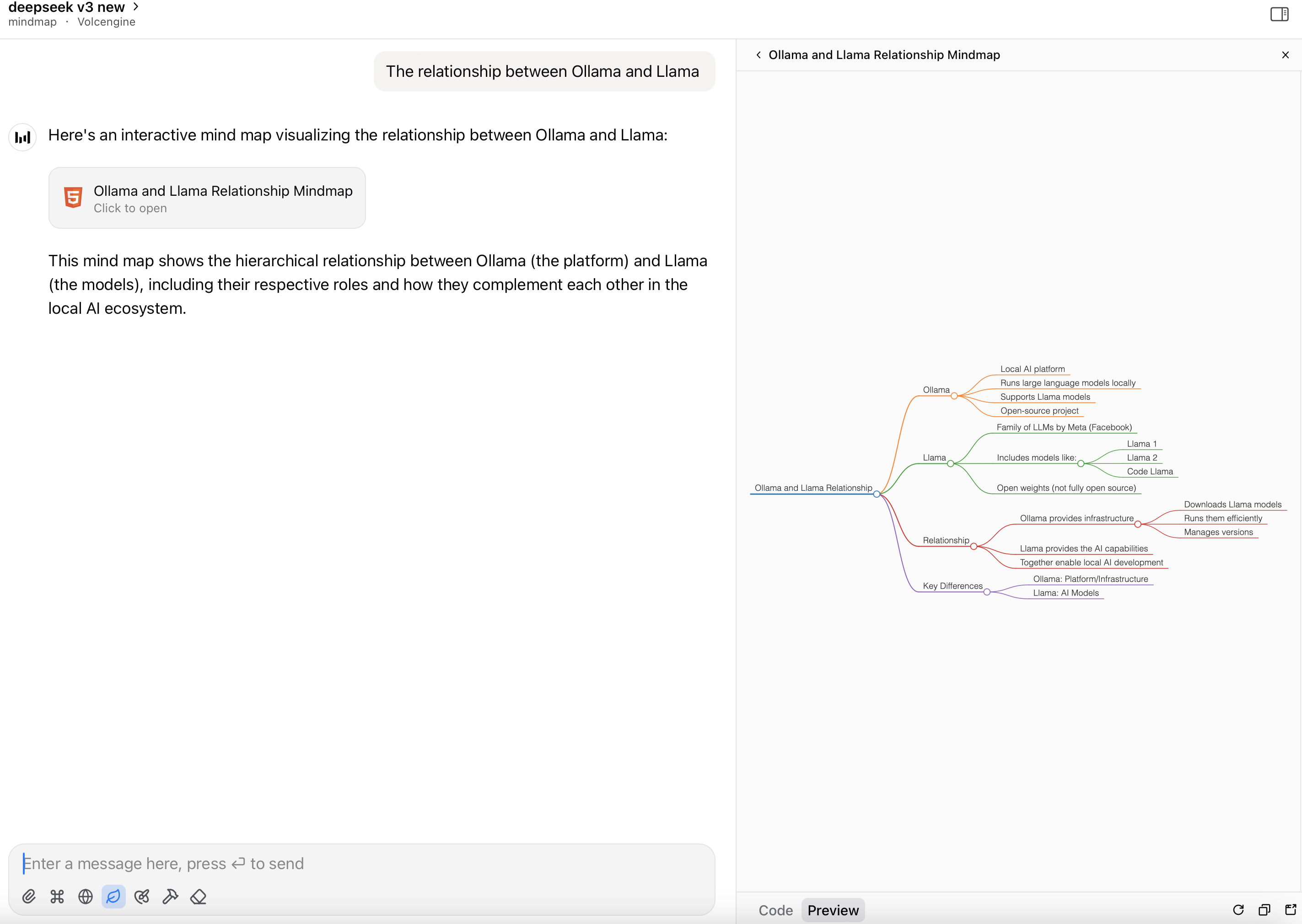
104 |
105 | 2. Render the HTML file as a mindmap:
106 | 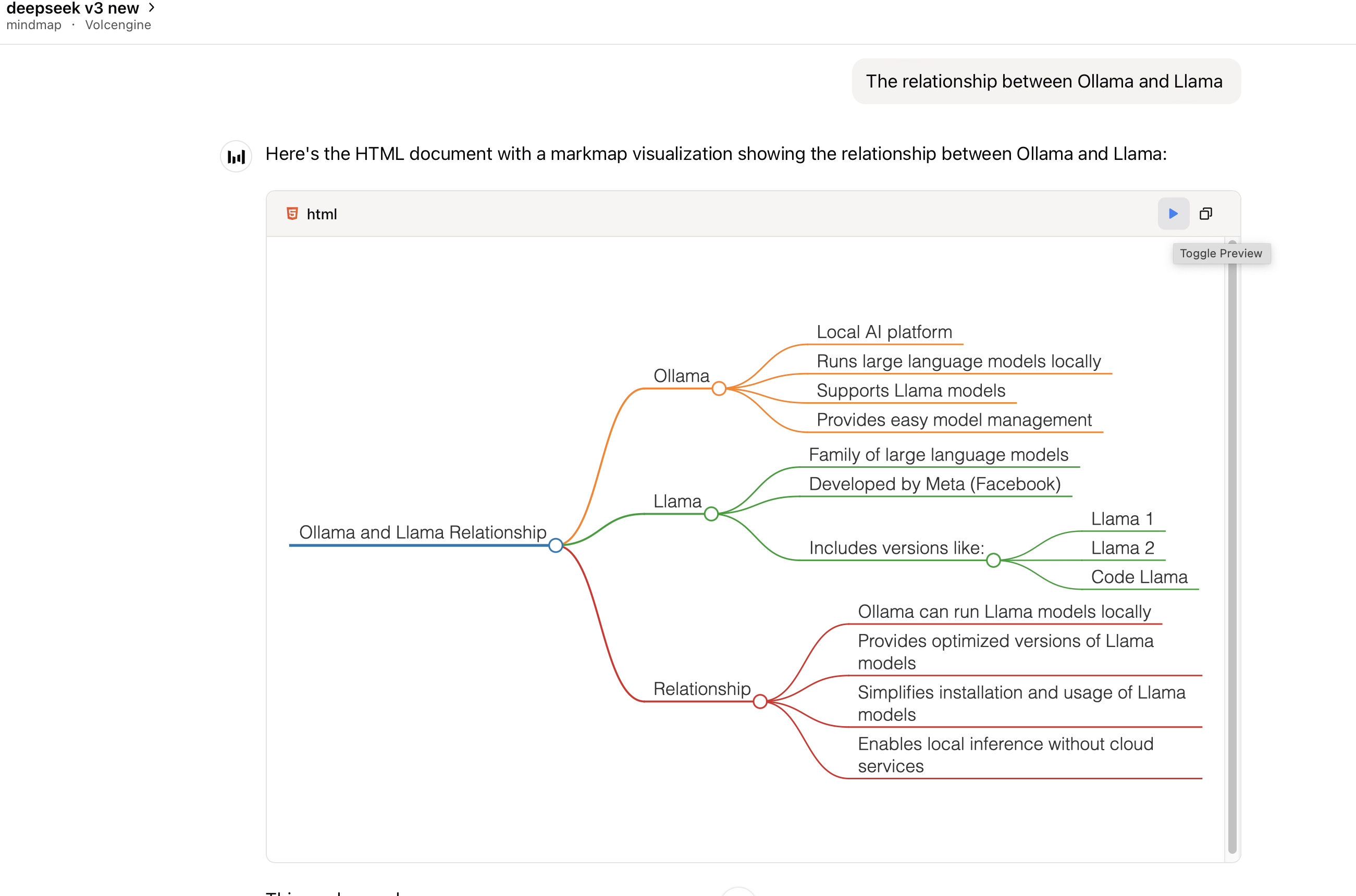
107 |
108 | </details>
109 |
110 | ---
111 |
112 | ## Prerequisites
113 |
114 | This package requires Node.js to be installed when using command `python` or `uvx` to run the server.
115 |
116 |
117 |
118 | ## Usage
119 |
120 | ### With Claude Desktop or other MCP clients
121 |
122 | Add this server to your `claude_desktop_config.json`:
123 |
124 | <details>
125 |
126 | <summary>using `uvx`:</summary>
127 |
128 | ```json
129 | {
130 | "mcpServers": {
131 | "mindmap": {
132 | "command": "uvx",
133 | "args": ["mindmap-mcp-server", "--return-type", "html"]
134 | }
135 | }
136 | }
137 | ```
138 |
139 | or
140 |
141 | recommended:
142 |
143 | ```json
144 | {
145 | "mcpServers": {
146 | "mindmap": {
147 | "command": "uvx",
148 | "args": ["mindmap-mcp-server", "--return-type", "filePath"]
149 | }
150 | }
151 | }
152 | ```
153 |
154 | we use `--return-type` to specify the return type of the mindmap content, you can choose `html` or `filePath` according to your needs.
155 | `html` will return the entire HTML content of the mindmap, which you can preview in your AI client's artifact;
156 |
157 | 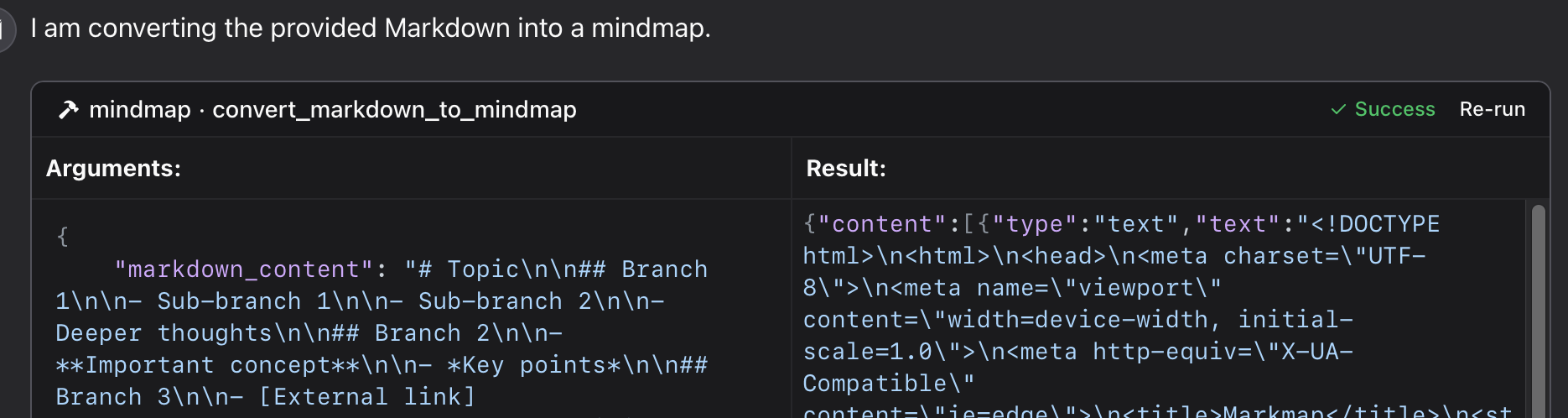
158 |
159 | 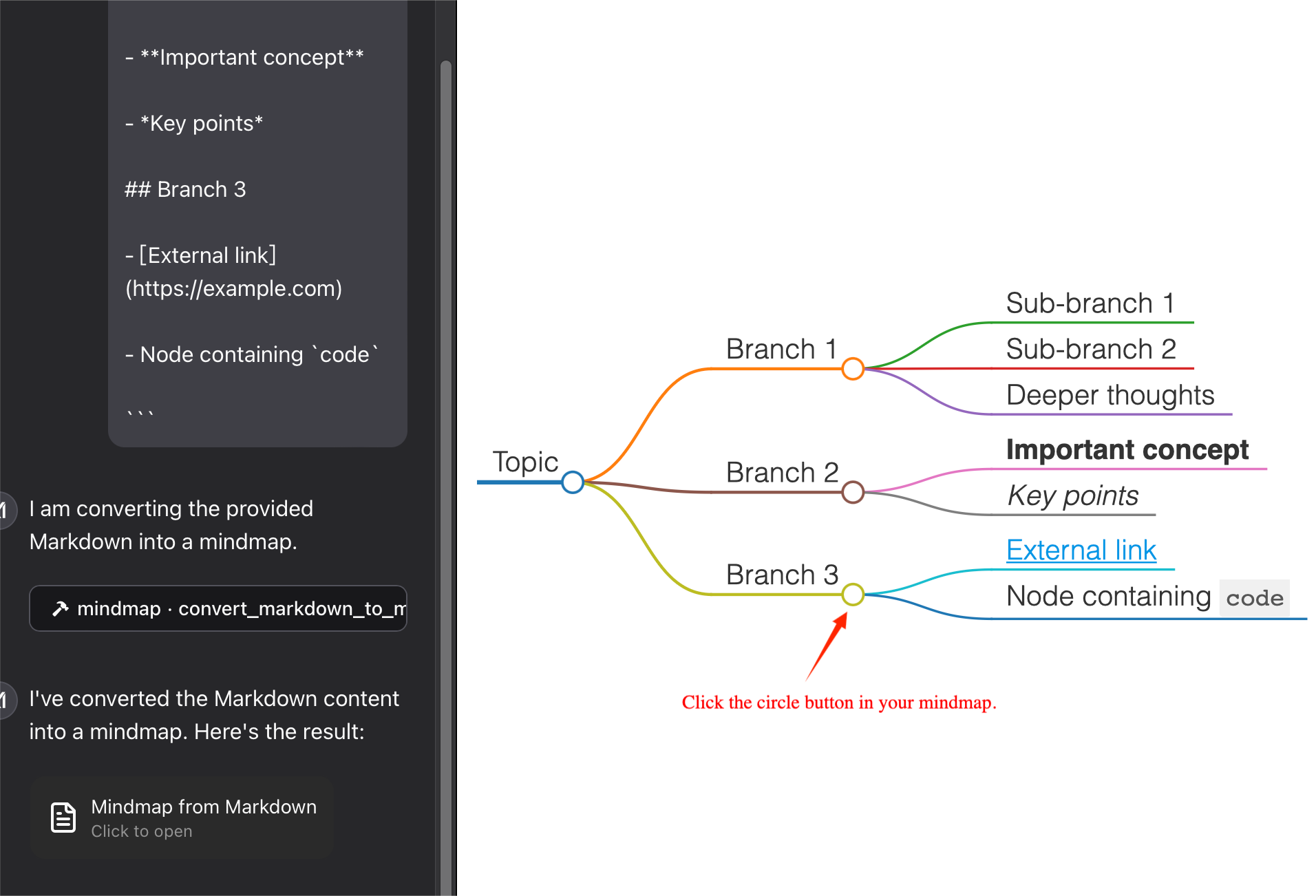
160 |
161 |
162 | `filePath` will save the mindmap to a file and return the file path,which you can open in your browser. It can **save your tokens** !
163 |
164 | 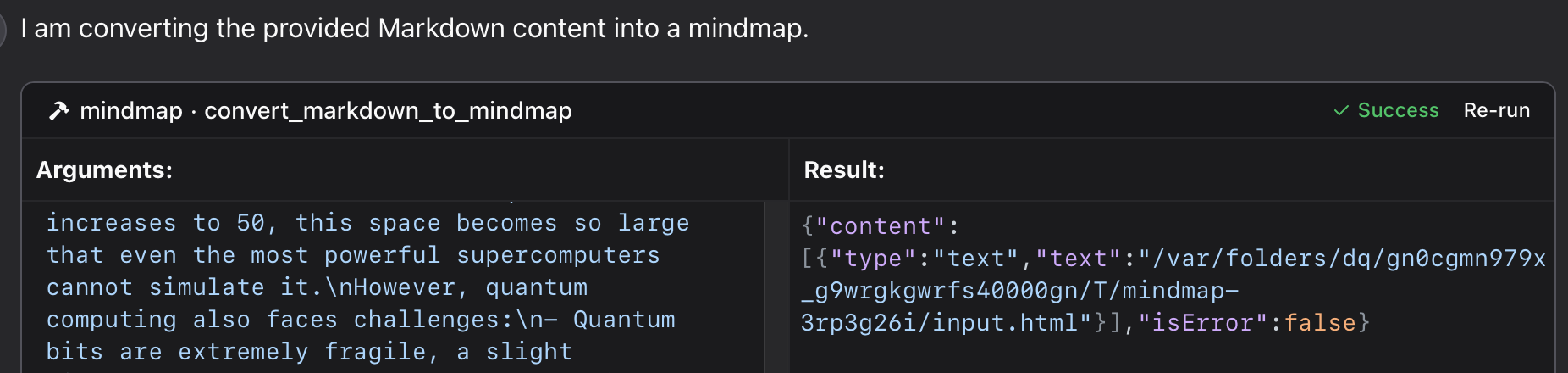
165 |
166 | 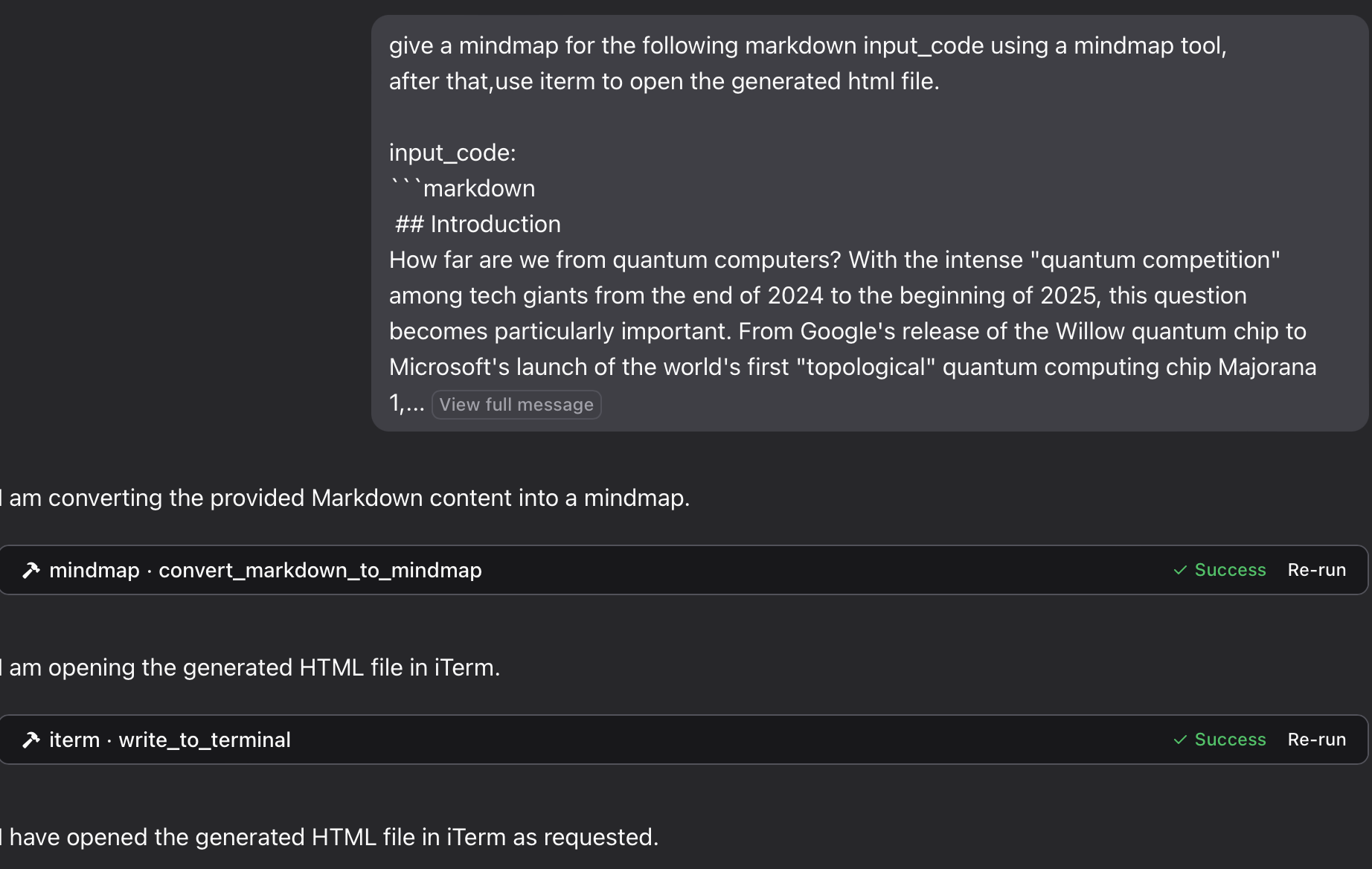
167 |
168 | </details>
169 |
170 | <details>
171 | <summary>using `python`:</summary>
172 |
173 | Using [a specific Python file](https://github.com/YuChenSSR/mindmap-mcp-server/blob/main/mindmap_mcp_server/server.py) in this repository:
174 |
175 |
176 | ```json
177 | {
178 | "mcpServers": {
179 | "mindmap": {
180 | "command": "python",
181 | "args": ["/path/to/your/mindmap_mcp_server/server.py", "--return-type", "html"]
182 | }
183 | }
184 | }
185 | ```
186 |
187 | or
188 |
189 | ```json
190 | {
191 | "mcpServers": {
192 | "mindmap": {
193 | "command": "python",
194 | "args": ["/path/to/your/mindmap_mcp_server/server.py", "--return-type", "filePath"]
195 | }
196 | }
197 | }
198 | ```
199 | we use `--return-type` to specify the return type of the mindmap content, you can choose `html` or `filePath` according to your needs. see using \`uvx\` for more details.
200 |
201 | </details>
202 |
203 | <details>
204 |
205 | <summary>using `docker`:</summary>
206 |
207 | First, you pull the image:
208 |
209 | ```bash
210 | docker pull ychen94/mindmap-converter-mcp
211 | ```
212 |
213 | Second, set the server:
214 |
215 | ```json
216 | {
217 | "mcpServers": {
218 | "mindmap-converter": {
219 | "command": "docker",
220 | "args": ["run", "--rm", "-i", "-v", "/path/to/output/folder:/output", "ychen94/mindmap-converter-mcp:latest"]
221 | }
222 | }
223 | }
224 | ```
225 | ⚠️ Replace `/path/to/output/folder` with an actual path on your system where you want to save mind maps, such as `/Users/username/Downloads` on macOS or `C:\\Users\\username\\Downloads` on Windows.
226 |
227 | **Tools Provided in the docker container**
228 | The server provides the following MCP tools:
229 | 1. **markdown-to-mindmap-content**
230 | Converts Markdown to an HTML mind map and returns the entire HTML content.
231 | You don't use the args: `-v` and `/path/to/output/folder:/output` in the command `docker`.
232 | **Parameters**:
233 | • markdown (string, required): The Markdown content to convert
234 | • toolbar (boolean, optional): Whether to show the toolbar (default: true)
235 | **Best for**: Simple mind maps where the HTML content size isn't a concern. And you can use **artifact** in your AI client to preview the mindmap.
236 | 2. **markdown-to-mindmap-file**
237 | Converts Markdown to an HTML mind map and saves it to a file in the mounted directory.
238 | **Parameters**:
239 | • markdown (string, required): The Markdown content to convert
240 | • filename (string, optional): Custom filename (default: auto-generated timestamp name)
241 | • toolbar (boolean, optional): Whether to show the toolbar (default: true)
242 | **Best for**: Complex mind maps or when you want to **save the tokens** for later use.
243 | you can open the html file in your browser to view the mindmap. Also you can use the [iterm-mcp-server](https://github.com/ferrislucas/iterm-mcp) or other terminals' mcp servers to open the file in your browser without interrupting your workflow.
244 |
245 | </details>
246 |
247 | ### Troubleshooting
248 |
249 | **File Not Found**
250 | If your mind map file isn't accessible:
251 | 1 Check that you've correctly mounted a volume to the Docker container
252 | 2 Ensure the path format is correct for your operating system
253 | 3 Make sure Docker has permission to access the directory
254 |
255 | **Docker Command Not Found**
256 | 1 Verify Docker is installed and in your PATH
257 | 2 Try using the absolute path to Docker
258 |
259 | **Server Not Appearing in Claude**
260 | 1 Restart Claude for Desktop after configuration changes
261 | 2 Check Claude logs for connection errors
262 | 3 Verify Docker is running
263 |
264 | **Advanced Usage
265 | Using with Other MCP Clients**
266 | This server works with any MCP-compatible client, not just Claude for Desktop. The server implements the Model Context Protocol (MCP) version 1.0 specification.
267 |
268 |
269 |
270 |
271 | ## Features
272 |
273 | This server provides a tool for converting Markdown content to mindmaps using the `markmap-cli` library:
274 |
275 | - Convert Markdown to interactive mindmap HTML
276 | - Option to create offline-capable mindmaps
277 | - Option to hide the toolbar
278 | - Return either HTML content or file path
279 |
280 | ## Example
281 |
282 | In Claude, you can ask:
283 |
284 | 1.
285 | "**give a mindmap for the following markdown code, using a mindmap tool:**
286 | ```
287 | # Project Planning
288 | ## Research
289 | ### Market Analysis
290 | ### Competitor Review
291 | ## Design
292 | ### Wireframes
293 | ### Mockups
294 | ## Development
295 | ### Frontend
296 | ### Backend
297 | ## Testing
298 | ### Unit Tests
299 | ### User Testing
300 | ```
301 | "
302 |
303 |
304 | if you want to save the mindmap to a file, and then open it in your browser using the iTerm MCP server:
305 |
306 | 2.
307 | "**give a mindmap for the following markdown input_code using a mindmap tool,
308 | after that,use iterm to open the generated html file.
309 | input_code:**
310 | ```
311 | markdown content
312 | ```
313 | "
314 |
315 |
316 | 3.
317 | "**Think about the process of putting an elephant into a refrigerator, and provide a mind map. Open it with a terminal.**"
318 |
319 | <details>
320 |
321 | <summary>see the result</summary>
322 |
323 | 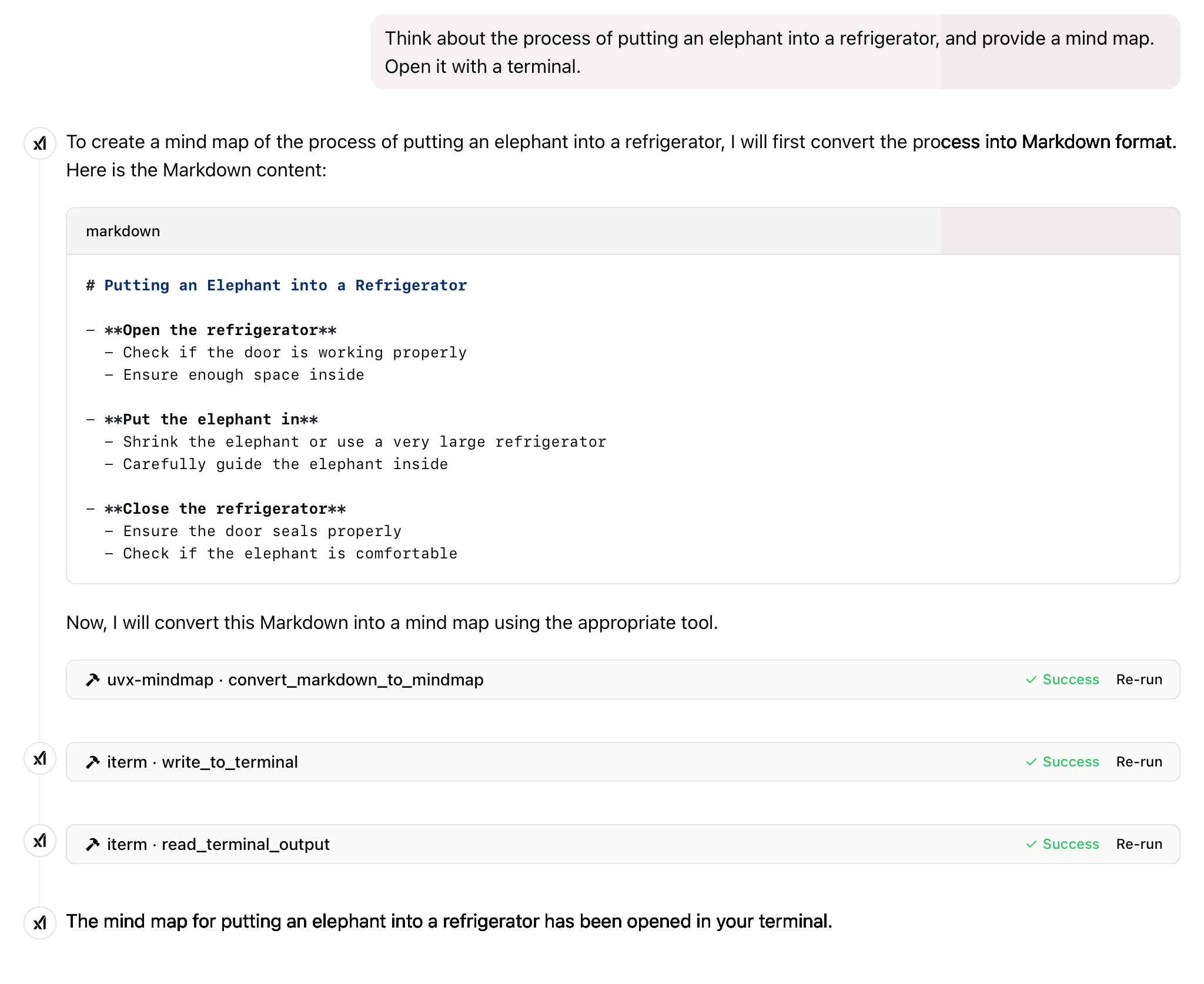
324 |
325 | 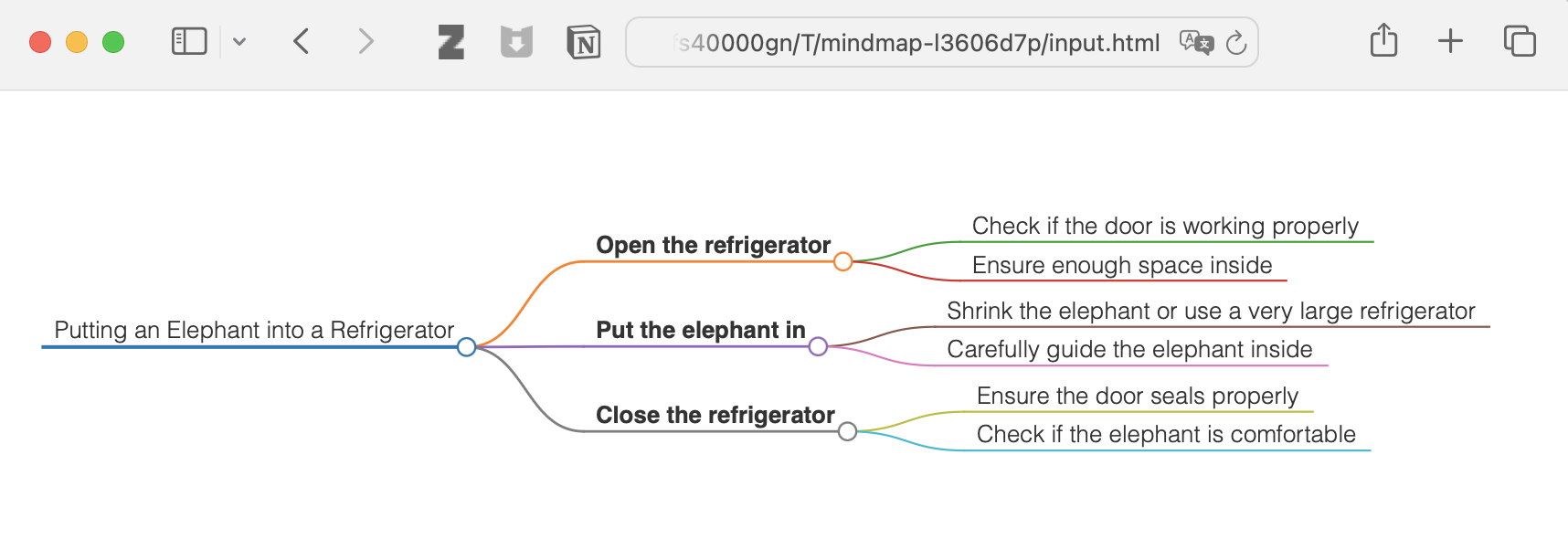
326 |
327 | </details>
328 |
329 |
330 | **and more**
331 |
332 |
333 | ## License
334 |
335 | This project is licensed under the MIT License.
336 | For more details, please see the LICENSE file in [this project repository](https://github.com/YuChenSSR/mindmap-mcp-server)
337 |
338 | ---
339 |
340 | If this project is helpful to you, please consider giving it a Star ⭐️
341 |
342 | The advancement of technology ought to benefit all individuals rather than exploit the general populace.
343 |
```
--------------------------------------------------------------------------------
/tests/__init__.py:
--------------------------------------------------------------------------------
```python
1 | """Test package for mindmap-mcp-server."""
2 |
```
--------------------------------------------------------------------------------
/mindmap_mcp_server/__init__.py:
--------------------------------------------------------------------------------
```python
1 | """MCP Server for converting Markdown to mindmaps."""
2 |
3 | __version__ = "0.1.1"
4 |
```
--------------------------------------------------------------------------------
/pyproject.toml:
--------------------------------------------------------------------------------
```toml
1 | [build-system]
2 | requires = ["hatchling"]
3 | build-backend = "hatchling.build"
4 |
5 | [project]
6 | name = "mindmap-mcp-server"
7 | version = "0.1.1"
8 | description = "MCP server for converting Markdown to mindmaps"
9 | readme = "README.md"
10 | requires-python = ">=3.10"
11 | license = {file = "LICENSE"}
12 | authors = [
13 | {name = "YuChenSSR"}
14 | ]
15 | keywords = ["mcp", "mindmap", "markdown", "claude", "ai"]
16 | classifiers = [
17 | "Development Status :: 4 - Beta",
18 | "Intended Audience :: Developers",
19 | "License :: OSI Approved :: MIT License",
20 | "Programming Language :: Python :: 3",
21 | "Programming Language :: Python :: 3.10",
22 | "Programming Language :: Python :: 3.11",
23 | "Topic :: Software Development :: Libraries",
24 | ]
25 | dependencies = [
26 | "mcp>=1.2.0",
27 | ]
28 |
29 | [project.urls]
30 | "Homepage" = "https://github.com/YuChenSSR/mindmap-mcp-server"
31 | "Bug Tracker" = "https://github.com/YuChenSSR/mindmap-mcp-server/issues"
32 |
33 | [project.scripts]
34 | mindmap-mcp-server = "mindmap_mcp_server.server:main"
35 |
36 | [tool.hatch.build.targets.wheel]
37 | packages = ["mindmap_mcp_server"]
38 |
```
--------------------------------------------------------------------------------
/mindmap_mcp_server/server.py:
--------------------------------------------------------------------------------
```python
1 | """
2 | MCP Server for converting Markdown to mindmaps.
3 | """
4 |
5 | import asyncio
6 | import tempfile
7 | import os
8 | import shutil
9 | import sys
10 | import argparse
11 | from pathlib import Path
12 | from mcp.server.fastmcp import FastMCP
13 |
14 | # Parse command line arguments
15 | def parse_arguments():
16 | parser = argparse.ArgumentParser(description='MCP Server for converting Markdown to mindmaps')
17 | parser.add_argument('--return-type', choices=['html', 'filePath'], default='html',
18 | help='Whether to return HTML content or file path. Default: html')
19 | return parser.parse_args()
20 |
21 | # Global configuration
22 | args = parse_arguments()
23 | RETURN_TYPE = args.return_type
24 |
25 | # Initialize FastMCP server
26 | mcp = FastMCP("mindmap-server")
27 |
28 | async def create_temp_file(content: str, extension: str) -> str:
29 | """Create a temporary file with the given content and extension."""
30 | temp_dir = tempfile.mkdtemp(prefix='mindmap-')
31 | file_path = os.path.join(temp_dir, f"input{extension}")
32 |
33 | with open(file_path, mode='w') as f:
34 | f.write(content)
35 |
36 | return file_path
37 |
38 | async def run_mindmap(input_file: str, output_file: str = None) -> str:
39 | """Run markmap-cli on the input file and return the path to the output file."""
40 | args = ['npx', '-y', 'markmap-cli', input_file, '--no-open']
41 |
42 | if output_file:
43 | args.extend(['-o', output_file])
44 | else:
45 | output_file = os.path.splitext(input_file)[0] + '.html'
46 |
47 | try:
48 | process = await asyncio.create_subprocess_exec(
49 | *args,
50 | stdout=asyncio.subprocess.PIPE,
51 | stderr=asyncio.subprocess.PIPE
52 | )
53 |
54 | stdout, stderr = await process.communicate()
55 |
56 | if process.returncode != 0:
57 | error_msg = stderr.decode() if stderr else "Unknown error"
58 | raise RuntimeError(f"markmap-cli exited with code {process.returncode}: {error_msg}")
59 |
60 | return output_file
61 | except Exception as e:
62 | raise RuntimeError(f"Failed to run markmap-cli: {str(e)}")
63 |
64 | async def get_html_content(file_path: str) -> str:
65 | """Read the HTML content from the given file."""
66 | with open(file_path, 'r', encoding='utf-8') as f:
67 | return f.read()
68 |
69 | @mcp.tool()
70 | async def convert_markdown_to_mindmap(
71 | markdown_content: str, # The Markdown content to convert
72 | ) -> str:
73 | """Convert Markdown content to a mindmap mind map.
74 |
75 | Args:
76 | markdown_content: The Markdown content to convert
77 |
78 | Returns:
79 | Either the HTML content or the file path to the generated HTML,
80 | depending on the --return-type server argument
81 | """
82 | try:
83 | # Create a temporary markdown file
84 | input_file = await create_temp_file(markdown_content, '.md')
85 |
86 | # Run mindmap on it
87 | output_file = await run_mindmap(input_file)
88 |
89 | # Check if the output file exists
90 | if not os.path.exists(output_file):
91 | raise RuntimeError(f"Output file was not created: {output_file}")
92 |
93 | # Return either the HTML content or the file path based on command line arg
94 | if RETURN_TYPE == 'html':
95 | html_content = await get_html_content(output_file)
96 | return html_content
97 | else:
98 | return output_file
99 | except Exception as e:
100 | raise RuntimeError(f"Error converting Markdown to mindmap: {str(e)}")
101 |
102 | def main():
103 | """Entry point for the mindmap-mcp-server command."""
104 | global args, RETURN_TYPE
105 |
106 | # Parse arguments again to ensure parameters are captured when running as an entry point
107 | args = parse_arguments()
108 | RETURN_TYPE = args.return_type
109 |
110 | print(f"Starting mindmap-mcp-server with return type: {RETURN_TYPE}", file=sys.stderr)
111 |
112 | # Initialize and run the server
113 | mcp.run(transport='stdio')
114 |
115 | if __name__ == "__main__":
116 | main()
```